
Landing Page Design: Layout, Message Match and Testing Tips
What landing page design is for
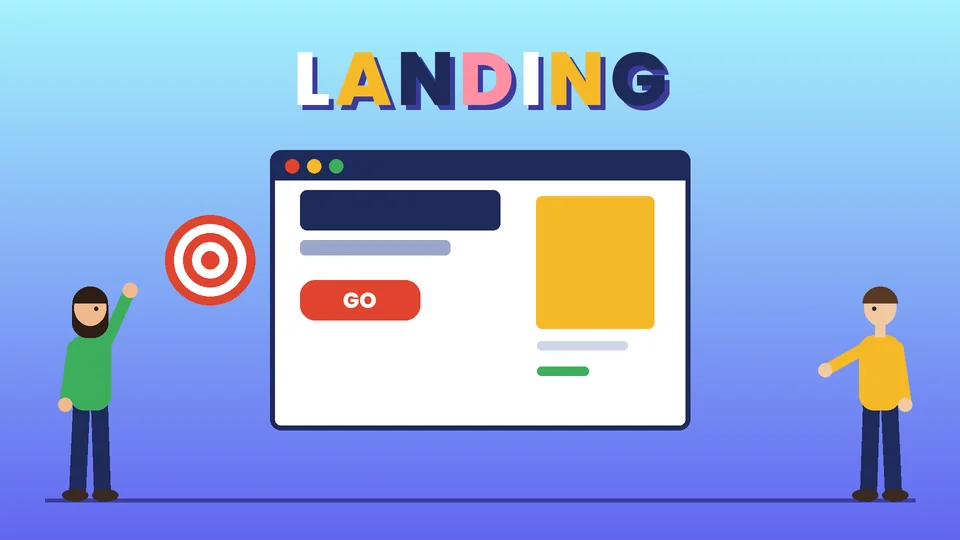
A landing page is the page someone reaches after clicking an ad, an email link or a social post. Unlike a homepage, which has to serve every visitor, a landing page has one audience and one job: get the visitor to take a single action, such as booking a call, requesting a quote, signing up or buying one product.
Good landing page design makes that action obvious. The headline confirms the visitor is in the right place, the content answers the questions that stand between them and the action, and the page removes anything that pulls attention away. This guide covers the parts of a landing page, how to match it to your ads, design choices for mobile, speed and accessibility, and how to test and improve it over time. Pros Inc designs landing pages and campaign sites for small businesses from our office in San Diego, and this is the checklist we work from.
Start with one goal and one audience
Before any layout work, write down three things:
- The single action. One primary call to action per page. A secondary option, such as a phone number, is fine if it leads to the same outcome.
- Who is arriving and from where. A visitor from a search ad for “emergency plumber near me” needs something very different from a reader who clicked a newsletter link about a seasonal service.
- What they need to know to act. List the questions and doubts that stop people, such as price, timing, proof, process and risk. Each one should be answered somewhere on the page.
If you find yourself writing two goals, build two pages. A page that asks for a demo booking and a newsletter sign-up and a download will usually do none of them well. Where the page sits in your wider journey matters too; our guide to sales funnel stages explains how the offer should change between first contact and a ready-to-buy visitor.
The anatomy of a high-converting landing page
Most effective landing pages share the same building blocks, in roughly this order.
A headline that matches the promise
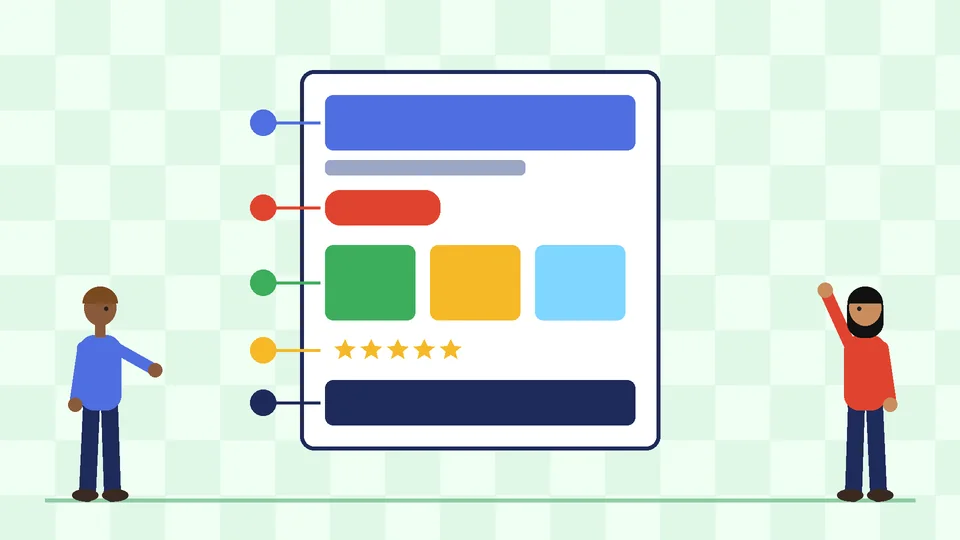
The headline should repeat the promise that brought the visitor there, in plain words. If the ad said “Same-week bathroom remodel quotes,” the headline should say the same thing, not a clever brand line. A short subheading can add the main benefit or who the offer is for.
A clear primary call to action
Make the button label describe the result, such as “Get my quote” or “Book a free consultation,” rather than “Submit.” Use one button color for the primary action and keep it consistent everywhere it appears on the page. Place the first call to action where visitors see it without scrolling, then repeat it after the main sections on longer pages.
Key information near the top
Google’s advice on optimizing ads and landing pages recommends putting important information toward the top of the page so visitors see it straight away and do not have to scroll to find it. In practice, that means the offer, the main benefit, the call to action and one strong trust signal all belong in the first screen.
Proof and trust signals
People hesitate when they cannot tell who you are or whether the offer is real. Useful trust signals include genuine customer reviews, recognizable logos of clients you actually work with, certifications, guarantees you honor and a visible business address and phone number. Google’s guidance also suggests adding reviews that show real opinions from other customers. Our guide to online reviews for small businesses covers how to collect and display them honestly. Never use invented testimonials, stock-photo “customers” or results you cannot back up.
Benefits, then details
Lead with what the visitor gets, then explain how it works. Short sections with clear subheadings, simple icons and plain language are easier to scan than long paragraphs. For products, include the details that matter to the decision, such as price, sizes, delivery times and returns. Our guide to Shopify product page design goes deeper on product details, images and pricing layouts.
A short, focused form
Ask only for the information you need to take the next step. Every extra field is another reason to stop. If you need more detail later, collect it in a follow-up call or a second step. Label every field clearly above the input, show errors next to the field that caused them, and tell people what happens after they submit.
A simple FAQ and a final call to action
A few common questions near the bottom catch the visitor who has read everything and still has one doubt. Finish with a last call to action so nobody has to scroll back up.
Match the page to the ad
Message match is the link between what someone clicked and what they see. Google’s guidance says visitors expect a landing page that is relevant to the ad, and if they do not find what they expect, they are more likely to leave. It gives a simple example: if the keyword is discount shoes and the ad promises 20 percent off, visitors should be able to find and buy shoes at that discount on the landing page. The page should also mirror the call to action in the ad.
This matters for cost as well as conversions. Google’s help page on Quality Score explains that the score runs from 1 to 10 at the keyword level and is based on three components: expected clickthrough rate, ad relevance and landing page experience. Each component is rated against other advertisers whose ads showed for the exact same search over the last 90 days. Google describes Quality Score as a diagnostic tool, not an input in the ad auction, but a “Below average” landing page experience is a clear signal that the page is not meeting expectations.
Practical ways to keep message match tight:
- Build one landing page per offer or ad group theme, not one page for every campaign.
- Reuse the ad’s key phrase in the headline.
- Keep prices, discounts and deadlines identical between the ad and the page.
- Use the same imagery and visual style as the ad so the visitor recognizes the brand. A brand style guide makes that consistency easier across many campaigns.
Design for mobile first
A large share of ad and social traffic arrives on phones, and Google’s landing page guidance asks advertisers to make sure their sites are mobile-friendly: keep pages quick, make it easy to contact you and use simple navigation.
For landing pages, that translates into a few design rules:
- Stack content in one column with the headline, short benefit line and button visible on the first screen of a phone.
- Make buttons large enough to tap comfortably and leave space between tappable elements.
- Use tap-to-call for phone numbers so a visitor can call in one step.
- Trim navigation. Many landing pages remove the main site menu altogether so visitors are not pulled away from the goal. Keep a logo and a way to contact you.
- Check forms on a real phone. Use the right keyboard type for email and phone fields and avoid tiny dropdowns.
Avoid intrusive pop-ups
Pop-ups and overlays can work against a landing page. Google’s guidance on interstitials and dialogs says intrusive interstitials may frustrate users and erode their trust, and recommends using banners that take up only a small fraction of the screen instead of full-page interstitials. It also advises not to obscure the entire page and not to redirect people to a separate page for their consent or input, unless the interstitial is legally mandatory, such as an age check.
Google’s ad guidance makes a similar point, advising advertisers to avoid cluttering the page with too many ads or pop-ups. If you want a newsletter offer or a chat prompt, use a small banner or an inline section rather than an overlay that covers the offer people came for.
Make it fast
Slow pages lose visitors before they see the offer. Google’s web.dev team defines Core Web Vitals thresholds for a good experience: Largest Contentful Paint within 2.5 seconds, Interaction to Next Paint of 200 milliseconds or less, and Cumulative Layout Shift of 0.1 or less, measured at the 75th percentile of page loads.
For landing pages, the most common speed problems are oversized hero images, heavy video backgrounds, several tracking scripts loading at once and page builders that add a lot of code. Compress and size images correctly, load only the scripts you need for measurement and keep the page itself simple. If your landing pages run on Shopify, our guide to Shopify speed optimization covers the platform-specific fixes.
Make it accessible and readable
An accessible landing page converts more of the people who arrive, because more of them can read and use it. A few checks cover most landing page issues:
- Contrast. The W3C’s WCAG 2.2 success criterion for minimum contrast asks for a contrast ratio of at least 4.5:1 for normal text and 3:1 for large text. Light gray text on white and white text over busy photos are common failures, especially on buttons.
- Labels and errors. Every form field needs a visible label, and errors should be described in words, not only shown in red.
- Keyboard use. Visitors should be able to reach and use every button and field with a keyboard.
- Alt text. Images that carry meaning need short, descriptive alt text.
Our guide to website accessibility explains these checks in more detail.
Test, measure and improve
A landing page is never finished on launch day. Decide before launch which number defines success, usually the conversion rate of the primary action, and make sure it is tracked correctly. Then improve the page one change at a time.
A simple testing routine:
- Check the basics first. Confirm the form submits, the thank-you page loads, tracking fires and the page works on several phones and browsers.
- Watch real behavior. Review where visitors stop scrolling, which fields they abandon and which questions reach your sales team or inbox.
- Form a clear hypothesis. For example: “A headline that names the same-week turnaround will increase quote requests.”
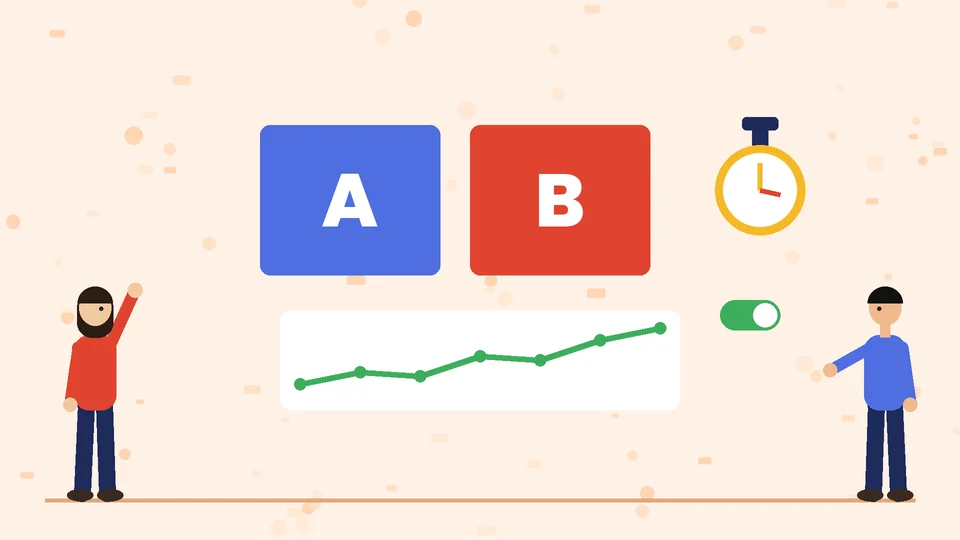
- Test one change at a time. Run an A/B test between the current page and one variant, such as a new headline, a shorter form or a different hero image.
- Wait for enough data. Let the test run long enough to cover normal weekly patterns and collect enough conversions to trust the result before declaring a winner.
- Keep a log. Record each test, the result and what you learned so later changes build on evidence.
On the ad side, Google suggests running 3 to 5 different ads in an ad group, so you can learn which headlines and calls to action bring the best visitors to the page.
Common landing page mistakes
- Sending paid traffic to the homepage instead of a focused page.
- A headline that does not match the ad.
- Several competing calls to action.
- Long forms that ask for information you do not need yet.
- Full-screen pop-ups that cover the offer.
- Slow hero images or video backgrounds.
- Unverifiable claims, fake urgency timers or testimonials that cannot be traced to real customers.
- No phone number or address, which makes a small business look less trustworthy.
Frequently asked questions
What is the difference between a landing page and a homepage?
How long should a landing page be?
Should a landing page have navigation?
How many calls to action should a landing page have?
Does landing page design affect Google Ads costs?
How do I know if my landing page is working?
Work with Pros Inc
Pros Inc designs landing pages that match your campaigns, load quickly and make the next step clear. To plan your next campaign page, contact us at 715 J St #200, San Diego, CA 92101, or call (858) 652-8920.