
Google Business Profile Photos: Specs, Types and Tips
What makes good Google Business Profile photos?
Good Google Business Profile photos are sharp, well-lit, unfiltered images that show customers what your business really looks like: the outside so they can find you, the inside so they know what to expect, and your products, services and team at work. Google asks for JPG or PNG files between 10 KB and 5 MB, recommends 720 by 720 pixels, and says photos should represent reality, with no significant alterations or excessive use of filters or AI.
This guide covers Google’s photo specifications, the types of photos to add, how to set up your logo and cover photo, how to shoot each type, branding, and a checklist to run before you upload. Pros Inc designs logos, signage and brand identities for small businesses from our office in San Diego, and a Business Profile is often the first place local customers see that work. Specifications below come from Google Business Profile Help, read as of November 2026.
Google Business Profile photo specifications
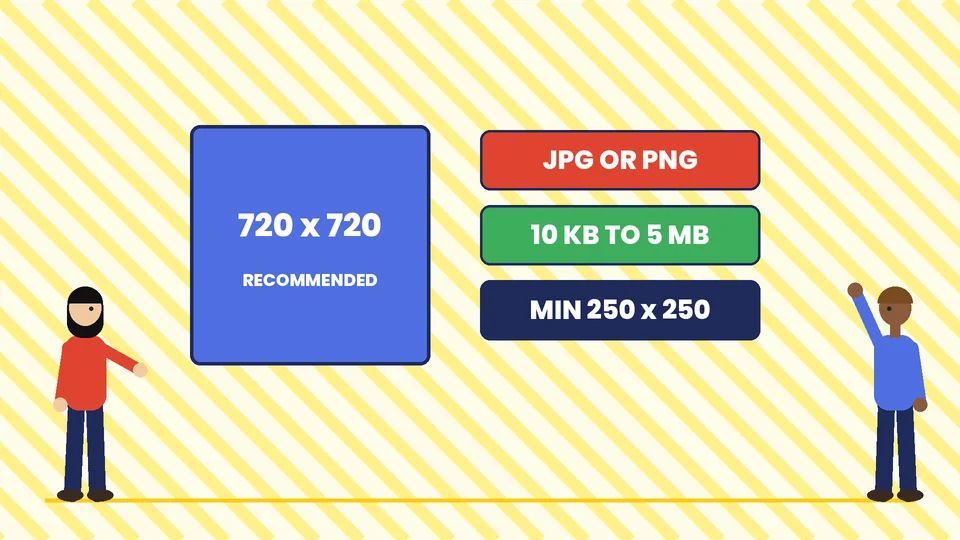
Google’s help page on managing Business Profile photos and videos lists these standards as of November 2026:
| Specification | Photos | Videos |
|---|---|---|
| Format | JPG or PNG | not specified on the page |
| File size | 10 KB to 5 MB | up to 75 MB |
| Resolution | 720 x 720 pixels recommended, 250 x 250 minimum | 720p or higher |
| Length | not applicable | up to 30 seconds |
| Quality | in focus, well lit, no significant alterations or excessive filters | not specified on the page |
Two rules affect whether your photos appear at all:
- Your Business Profile must be verified. Google says photos and videos show up only after you verify your profile. Until then, media shows as pending.
- Photos are reviewed against Google’s content policy. Media that breaks the photos, videos and posts content policy is marked not approved and doesn’t show on Google Search or Maps.
Businesses with 10 or more locations can bulk upload photos through a spreadsheet, according to the same help page.
The types of photos to add
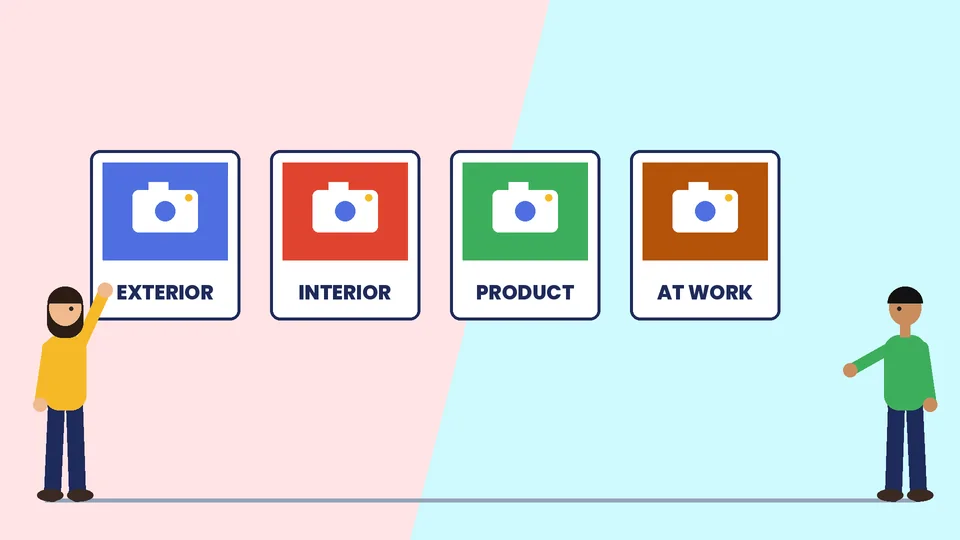
Google’s guide to business-specific photos suggests category-specific images and gives a minimum number for each type:
| Photo type | What it shows | Google’s suggested minimum |
|---|---|---|
| Exterior | The building and entrance from the directions customers approach | at least three |
| Interior | The look and feel inside | at least three |
| Product | Popular or representative products | at least three |
| At work | Your team providing services | at least three |
| Food and drink | Popular menu items | at least three |
| Common areas | Spaces such as a gym, spa or breakfast room | at least one of each |
| Rooms | Guest rooms, for hotels | at least three |
Not every type applies to every business. A design studio might focus on exterior, interior, at-work and product photos, while a restaurant needs food and drink photos.
Logo and cover photo
Google describes three main kinds of images on a profile: the logo, the cover photo and business photos.
- Logo. Google says that for businesses with basic information, such as a phone number or hours, the profile highlights the logo. Use a square version of your logo with padding so it’s readable in a small space, and upload a file that meets the photo standards above. Our guide to logo file formats explains which file to use for each purpose.
- Cover photo. This sits at the top of your profile and should best represent your business. Google notes that setting a cover photo doesn’t guarantee it will show up as the first image. Choose a clear, bright photo, such as your storefront or your team at work, rather than a graphic with text.
- Business photos. Everything else: the photo types in the table above.
How to shoot each type of photo
You don’t need a professional photographer, but you do need good light and a steady hand. Google’s guidance asks for photos that are in focus and well lit.
Exterior photos
Google suggests capturing a photo from each direction customers might approach and trying different times of day. Include the entrance and your sign in at least one photo so customers can spot it from the street. A clear, well-lit sign helps; our guide to business signage design covers making signs readable from a distance.
Interior photos
Show what it’s really like to stand inside as a customer. Tidy up first, turn on the lights, open the blinds and shoot from eye level. Take a wide shot of the main space and closer shots of the areas customers use, such as the counter, waiting area or meeting room.
Product photos
Google suggests showcasing your most popular items with evenly lit photos. Use a plain background, natural light from a window or a simple light, and fill the frame with the product. Keep the style consistent across products so the set looks organized.
At-work photos
Photos of your team serving customers help people understand what you do. Show real work: a stylist with a client, a technician on site, a designer reviewing proofs. Ask permission from anyone who appears in a photo, including customers.
Keep photos real
Google’s standards say photos should represent reality, without significant alterations or excessive use of filters or AI. That rules out heavily edited images, composites and AI-generated scenes that don’t match the actual business.
Basic edits are usually fine: cropping, straightening, and small adjustments to brightness or color so the image matches what the eye sees. Avoid adding text overlays, borders or promotional graphics to business photos. Use posts or your website for offers instead.
Make photos part of your brand
Your Business Profile is a brand touchpoint, just like your signage, website and business cards. Consistency helps customers recognize you:
- Show your branding in real life. Signage, uniforms, packaging and vehicles in your photos reinforce your brand naturally.
- Use a consistent logo that matches your website and other profiles.
- Keep a similar look across photos with consistent lighting and framing.
- Update photos when you renovate, rebrand, change products or move. Outdated photos can confuse customers who arrive expecting something different.
If your brand has a style guide, add a short section on photography: lighting, backgrounds, framing and what to include, so anyone taking photos for the profile follows the same approach.
Photos and reviews work together
Photos and reviews both appear on your Business Profile, so customers can see them side by side. Photos set expectations, and reviews show how other customers found the experience. Google also lets customers add their own photos to your profile, and you can request removal of customer photos that break Google’s policies through its help center. Our guide to online reviews for small businesses covers how to ask for and respond to reviews.
Common photo mistakes
- Dark or blurry photos, often taken indoors without enough light.
- Heavily filtered or AI-altered images that don’t represent the business.
- No exterior photo, so customers can’t recognize the entrance.
- Text and promotional graphics added to business photos.
- A wide logo squeezed into a small square space.
- Outdated photos that show an old storefront, menu or product range.
- Files outside the limits, such as images below 250 by 250 pixels or above 5 MB.
Google Business Profile photo checklist
- Is your Business Profile verified so photos can appear?
- Is each photo a JPG or PNG between 10 KB and 5 MB?
- Is each photo at least 250 by 250 pixels, ideally 720 by 720 or larger?
- Is each photo in focus, well lit and free of heavy filters or AI alterations?
- Do you have at least three exterior photos, including the entrance and sign?
- Do you have at least three interior photos?
- Do you have product or at-work photos that show what you sell or do?
- Is your logo a square version with padding that matches your other channels?
- Does your cover photo represent the business well?
- Do you have permission from everyone who appears in the photos?
Frequently asked questions
What size should Google Business Profile photos be?
Why are my Google Business Profile photos not showing?
How many photos should I add to my Business Profile?
Can I edit my Business Profile photos?
Will my cover photo always show first?
What are the video requirements for a Business Profile?
Show customers the real business
Strong Business Profile photos are sharp, well lit and honest, and they show customers how to find you, what it’s like inside and what you offer. Meet Google’s specifications, cover the photo types that matter for your business, and keep your logo and branding consistent. If you want a logo, signage and brand system that look as good in photos as they do in person, contact Pros Inc at 715 J St #200, San Diego, CA 92101, or call (858) 652-8920.