
Email Newsletter Design: Layout, Accessibility and Inbox Tips
What good email newsletter design does
An email newsletter is one of the few marketing channels a small business fully controls. There is no algorithm deciding who sees the post, and subscribers have already asked to hear from you. Good design turns that permission into results: people recognize the sender, open the email, find the one or two things that matter and click through.
Email newsletter design covers more than the look of the template. It includes the sender name and subject line, the layout on a phone, how images and buttons behave in different inboxes, accessibility, and the technical and legal basics that decide whether the email reaches the inbox at all. This guide walks through each part. Pros Inc designs email templates and campaigns for small businesses from our office in San Diego, and this is the checklist we use before a template goes live.
Start with purpose and audience
Before choosing colors or a template, decide three things:
- The job of the newsletter. Is it to drive sales, book appointments, keep past customers engaged or share expertise? The answer shapes how much content goes in and where the main button points.
- Who receives it. New subscribers, repeat customers and trade partners want different things. If your list has very different groups, consider separate editions or segments.
- How often you will send. A rhythm you can keep is better than an ambitious one you abandon. Yahoo’s sender guidance advises honoring the frequency people signed up for, for example not switching a weekly list to daily emails.
Newsletters work best as part of a wider journey. Our guide to sales funnel stages explains how the message should change as subscribers move from first interest to repeat purchase.
The parts of the inbox view
Most people decide whether to open an email from three lines in their inbox.
Sender name
Use a name subscribers will recognize, usually your business name or a person at the business plus the business name. Keep it the same from send to send so people learn to look for it.
Subject line
Say what is inside in plain words. Short subject lines are easier to read on phones, and specific ones tend to beat vague ones. The FTC’s CAN-SPAM compliance guide says subject lines must not be deceptive, so never promise something the email does not deliver.
Preheader text
The preheader is the short preview line shown after the subject in many inboxes. If you do not set it, the inbox may show the first text it finds, such as “View in browser.” Write it as a second line that adds to the subject.
Layout that works on every screen
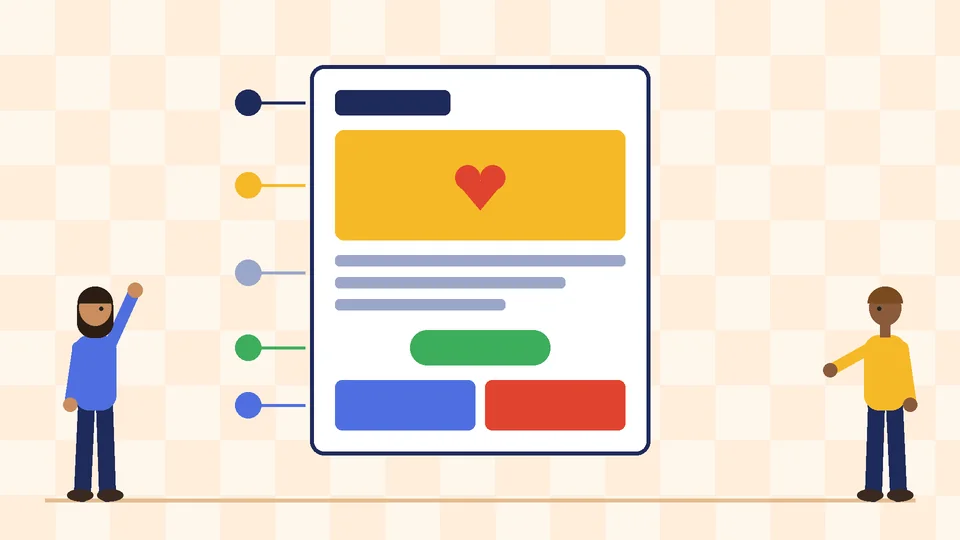
Use a single-column structure
A single column reads well on phones and scales cleanly to desktop. Many email templates are built around a column of roughly 600 pixels on desktop that shrinks to the full width of a phone. Stack content in a clear order: logo and header, the lead story or offer, a few supporting items, then the footer.
Lead with one main message
Put the most important story or offer first, with a clear headline, a short paragraph and one button. Supporting items can follow in shorter blocks. If everything is equally prominent, nothing stands out.
Keep it scannable
Use short paragraphs, clear subheadings and plenty of white space. Readers often skim on a phone, so each block should make sense on its own.
Design buttons for thumbs
Make buttons large enough to tap easily, with a clear label such as “Shop the new range” or “Book your visit.” Build buttons from live text and code rather than images, so they still show when images are blocked. Leave space around buttons and links so people do not tap the wrong one.
Images, text and dark mode
Do not put your message in a single image
An email that is one large image may look polished in a design file, but some inboxes block images by default, screen readers cannot read the text and spam filters may treat it with suspicion. Keep headlines, offers and key details in live text and use images to support them.
Write useful alt text
Give every meaningful image short alt text that says what it shows or what it is for. If the image is a product photo with a price, the alt text should carry the product name and price too. Decorative images can have empty alt text.
Size images for email
Compress images and export them at the size they display, with a version sharp enough for high-resolution screens. Large files slow loading, especially on mobile data.
Plan for dark mode
Many people read email in dark mode, and inboxes handle it differently: some leave colors alone, some invert them and some adjust only parts of the design. Use logos with transparent backgrounds or a light outline, avoid text baked into images where possible and test the template in both modes.
Stay on brand
Use your brand fonts where email clients support them, with safe fallback fonts, and stick to your brand colors and tone. A brand style guide makes it easier to keep newsletters consistent with your website and print.
Accessibility
Accessible emails reach more of your list. A few checks cover the most common problems:
- Contrast. The W3C’s WCAG 2.2 success criterion for minimum contrast asks for at least 4.5:1 for normal text and 3:1 for large text. Pale gray footer text and white text on light photos often fail.
- Readable type. Use a comfortable body size and line spacing for phones. As a working guideline, we design body text at 16 pixels and never smaller than 14.
- Real headings and logical order. Structure the email with headings and a sensible reading order so screen readers can follow it.
- Descriptive links. “See the spring menu” is clearer than “Click here.”
- Do not rely on color alone to show what is a link or what is on sale.
Our guide to website accessibility covers the same principles for web pages.
Deliverability basics designers should know
A well-designed email only works if it reaches the inbox. Two of the largest mailbox providers publish sender requirements that apply to newsletters.
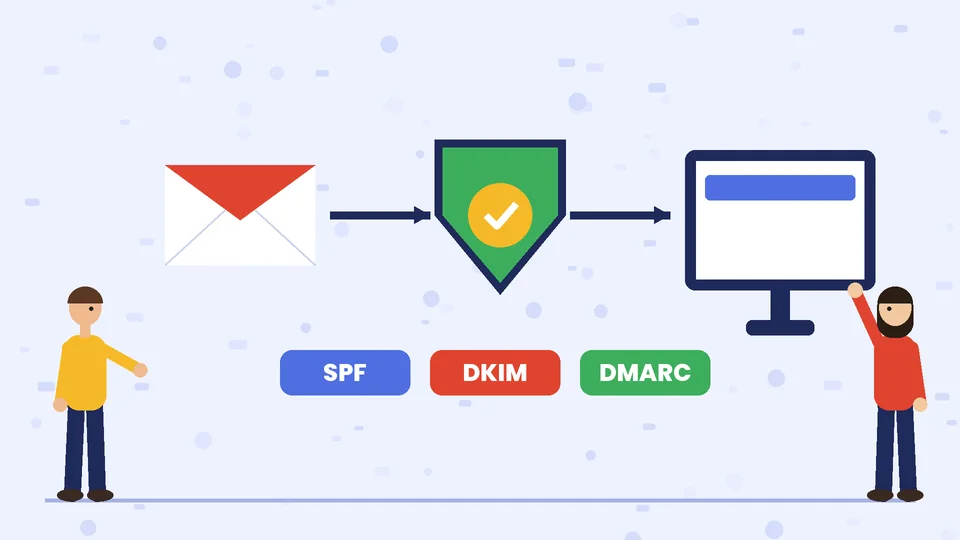
Google’s email sender guidelines say that, starting February 1, 2024, all senders to Gmail accounts must set up SPF or DKIM authentication and keep spam rates reported in Postmaster Tools below 0.3 percent. Senders of more than 5,000 messages a day to Gmail accounts must also set up SPF, DKIM and DMARC, align the From domain with SPF or DKIM, and support one-click unsubscribe for marketing messages, with a clearly visible unsubscribe link in the body. Google also recommends keeping the spam rate below 0.10 percent.
Yahoo’s sender requirements are similar: authenticate mail, keep spam rates below 0.3 percent, and for bulk senders publish a DMARC policy of at least p=none, support one-click unsubscribe, show a visible unsubscribe link and honor unsubscribes within 2 days. Yahoo also advises against buying lists or using pre-checked opt-in boxes, and recommends confirming new subscriptions by email.
Most email platforms handle the technical setup with your domain settings, but design and content choices still matter:
- Send from your own domain, not a free email address.
- Make the unsubscribe link easy to find in the footer.
- Only email people who asked to hear from you.
- Keep a steady sending rhythm and remove addresses that keep bouncing.
The legal footer
In the US, commercial email is covered by the CAN-SPAM Act. The FTC’s compliance guide lists the main requirements, including:
- Do not use false or misleading header information or deceptive subject lines.
- Identify the message as an ad, if it is one.
- Include your valid physical postal address.
- Tell recipients how to opt out, and make the opt-out clear and easy to use.
- Make sure the opt-out works for at least 30 days after you send, and honor requests within 10 business days.
- Stay responsible for compliance even if another company sends the email for you.
The FTC guide also says each separate email in violation can bring penalties of up to $53,088. Design a standard footer with your business name, postal address, a short reminder of why the person is receiving the email and a clear unsubscribe link, and reuse it in every template. This section is general information, not legal advice.
Measure what matters
Track the numbers that connect to your goal, such as clicks on the main button, sales or bookings from the email and unsubscribes. Be careful with open rates. Google’s sender guidelines note that Google does not track open rates and cannot verify open rates reported by third parties, so treat them as a rough signal at best.
Improve one thing at a time. Try a different subject line style, a shorter lead story or a new button label, then compare results over several sends. Our overview of the benefits of online marketing services explains how email fits with your website, search and social channels.
Email newsletter design checklist
- A recognizable sender name and a clear, honest subject line
- Preheader text written on purpose
- Single-column layout that works on a phone
- One main message and one primary button near the top
- Key text in live text, not only images
- Alt text on meaningful images
- Contrast that meets WCAG and comfortable type sizes
- Tested in light and dark mode and in the main inboxes your list uses
- Footer with your postal address and a visible unsubscribe link
- Authentication and unsubscribe settings confirmed with your email platform
Frequently asked questions
What makes a good email newsletter design?
How wide should an email newsletter be?
Should a newsletter be mostly images or text?
What must a marketing email include under CAN-SPAM?
What are SPF, DKIM and DMARC?
How often should a small business send a newsletter?
Work with Pros Inc
Pros Inc designs email newsletter templates that look sharp on every screen and follow the sender rules. To plan your next newsletter, contact us at 715 J St #200, San Diego, CA 92101, or call (858) 652-8920.