
Logo Design Brief: What to Include, With a Template
What is a logo design brief?
A logo design brief is a short written document that tells a designer what the logo is for, who it is for and what it must and must not do. The best briefs fit on one or two pages and answer five questions: who you are, who you serve, what style you want, where the logo will be used and what the limits are. A clear brief is the cheapest way to avoid rounds of revisions, because most disagreements about logos are really disagreements about goals that nobody wrote down.
This guide explains what to put in each section, gives you a template to copy, shows what a first review should look like and lists the mistakes that cause the most rework. Pros Inc designs logos and brand identities for small businesses from our office in San Diego, and we start every project with the questions below.
Why a brief matters
Without a brief, a designer works from guesses and a client reacts to taste. The result is a loop: the designer shows an option, the client says it is not right, and nobody can say why. A brief moves the conversation from “I do not like it” to “this does not meet point three.”
A brief also protects your budget. Revisions take time, and time is what you pay for. A project that starts with clear answers about audience, uses and limits usually needs fewer rounds, and the rounds you do have are about refinement and not direction.
A brief matters just as much when you are updating an existing mark. If that is your situation, read our guide on when and how to do a logo redesign.
The five parts of a good brief
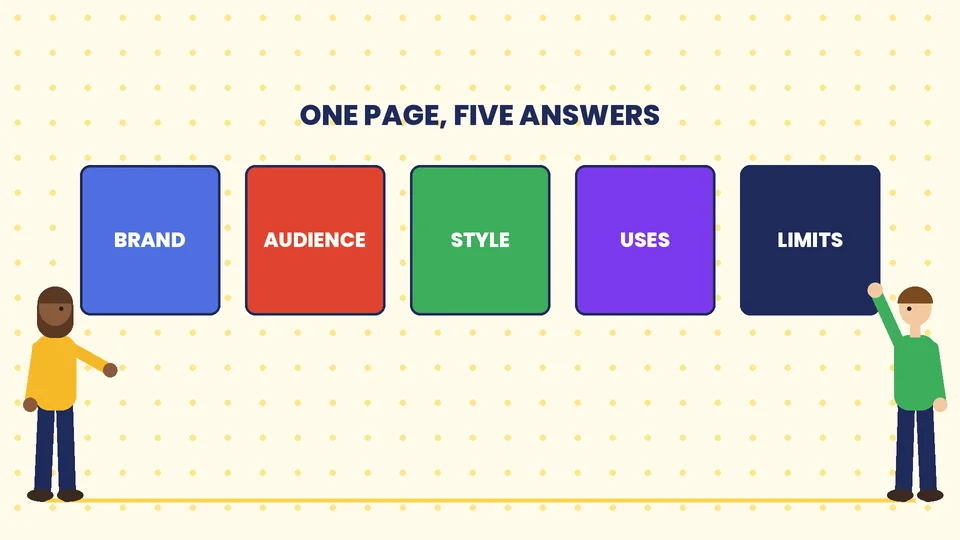
You do not need to write long answers. Short, specific sentences work better than slogans.
1. Brand
- Business name exactly as it should appear, including capitalization and punctuation, and whether a tagline will be used.
- What you do in one or two sentences, in plain language.
- What makes you different. What would a customer say about you that they would not say about a competitor?
- Personality. Choose three or four words, such as friendly, precise, bold or traditional, and avoid vague ones such as “professional” that apply to everyone.
2. Audience
- Who buys from you and what they care about: price, speed, quality, trust or convenience.
- Where they meet you first: a search result, a storefront, a delivery box, social media or a referral.
- What you want them to feel when they see the logo.
3. Style direction
- Logo type. Wordmark (just the name), symbol with name, monogram or emblem. If you are unsure, ask the designer to show two types.
- Examples you like and dislike. Collect three to five logos, from any industry, and note what you like about each. Ask for the reasons, not just the pictures.
- Colors. Colors you want, colors you must avoid and any colors already tied to your business, such as a color on your vehicles or signs. Our guide to a brand color palette explains how to choose and record colors.
- Typography direction. Serif, sans serif, script or custom lettering. Our guide to brand fonts explains pairing and licensing.
4. Uses
Listing where the logo will appear is the most useful part of a brief, because it sets the technical requirements.
- Website header and favicon, social profile picture, email signature
- Business cards, letterhead, invoices and packaging
- Signs, vehicles, uniforms, trade show graphics and other large formats
- Embroidery, engraving, stamps or other one-color processes
- Anything unusual, such as a very narrow space or a dark background
A logo that must fit in a favicon and on a van needs more flexibility than one that only appears on a printed menu. See our guides to favicon design, business card design and vehicle wrap design for how different these places can be.
5. Limits
- Budget and timeline, stated honestly, so the designer can propose a suitable scope.
- Must-haves and must-nots. For example, “must include the name in full” or “no clip art or stock symbols.”
- Existing elements to keep. A color, a shape or a name treatment customers already know.
- Who decides. Name one person who gives the final answer, and list anyone who needs to be consulted. A committee with no decision owner is a common cause of delay.
- Competitors to be different from, so the logo does not resemble theirs.
A logo brief template you can copy
Paste this into a document and fill in each line in one or two sentences.
| Section | Question |
|---|---|
| Business | Name, tagline (if any), what you do, where you operate |
| Difference | What do customers get from you that they cannot get elsewhere? |
| Personality | Three or four words that describe the brand |
| Audience | Who are your customers, and what do they care about? |
| Logo type | Wordmark, symbol with name, monogram, emblem, or not sure |
| Look | Three examples you like and why, one you dislike and why |
| Color | Preferred, forbidden and existing colors |
| Uses | Every place the logo will appear, including the smallest and largest |
| Deliverables | Files and versions you need |
| Limits | Budget, timeline, must-haves, must-nots |
| Decision | Who gives final approval |
Deliverables to ask for
Decide what you need at the end before you start, and put it in the brief so the price and the scope match.
- Vector master files that scale to any size. Our guide to logo file formats explains vector and raster files and when to use SVG, PNG, PDF and EPS.
- Color versions: full color, one color and reversed for dark backgrounds.
- Layout versions: horizontal, stacked and an icon-only mark if it makes sense.
- Web and social exports: PNG files at useful sizes, plus a square profile version.
- A one-page usage guide covering clear space, minimum size, colors and fonts. A longer brand style guide can follow later.
- Ownership terms. Ask in writing who owns the final artwork and whether any fonts or elements in it have license limits.
Run the first review with the brief
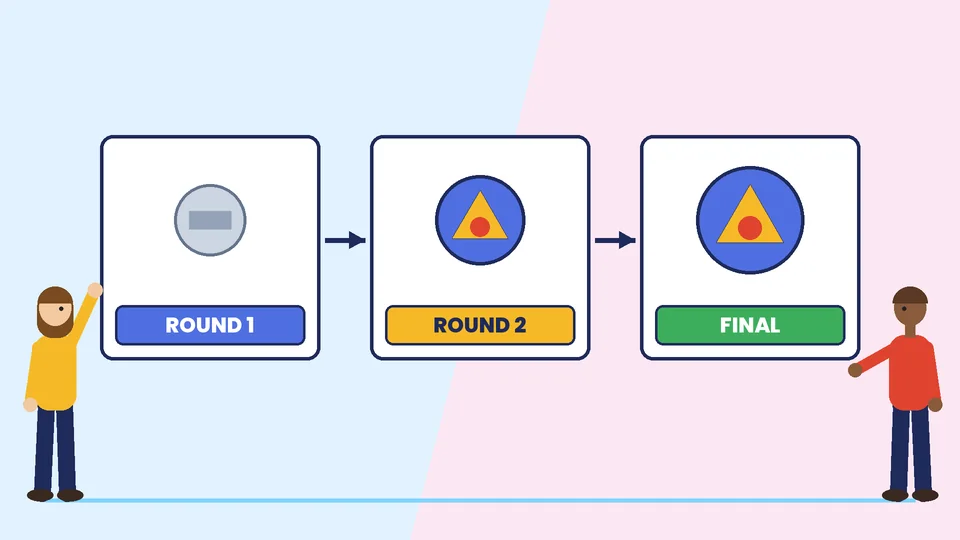
When the designer presents the first concepts, take time with them before you answer. Review each one against the brief, not against your mood.
- Look at each concept at small size. Shrink it to the size of a favicon or a social avatar.
- Look at it in one color. Convert it to black and white.
- Look at it on dark and light backgrounds.
- Ask what each concept says about the brand personality you listed, and whether a stranger would guess the same.
- Check it against the competitors you named.
- Mark what works. Note the parts you like even in concepts you reject, because a designer can combine them.
Give feedback as problems, not solutions. “The text is hard to read next to the symbol” is more helpful than “make the text bigger,” because the designer may have a better fix. Collect comments from all decision makers into one list before sending them, so the designer receives one consistent message.
Check availability before you commit
Before you fall in love with a logo or a name, check whether the design or something close to it is already in use in your industry. A reverse image search, a look at competitors’ logos and a search of the USPTO trademark database are useful first steps. The USPTO notes on its page about trademark drawings that its public records can help you avoid later legal conflicts. This is general information and not legal advice, so if you plan to register a logo, speak with a trademark attorney. Our pages on trademark registration and filing cover the basics.
Common brief mistakes
- Describing the solution instead of the problem. “Make it blue with a mountain” limits the designer more than “we want to feel steady and outdoorsy.”
- Listing only what you like and not what you dislike or must avoid.
- Leaving out the uses, which is how a logo ends up unreadable on a favicon or a stamp.
- Too many opinions and no named decision maker.
- No budget or deadline, so scope and expectations drift.
- Skipping the deliverables list, then discovering at the end that there are no vector or one-color files.
- Using vague words such as modern, clean or professional without an example.
- Changing the brief halfway. New goals mean a new scope, so say so and agree on the cost.
Logo brief checklist
- Is the business name written exactly as it should appear?
- Can you describe what you do and what makes you different in two sentences?
- Have you chosen three or four personality words?
- Do you know who your customers are and where they first see you?
- Have you collected a few examples with reasons?
- Have you listed every place the logo must work?
- Have you stated colors to use, avoid or keep?
- Have you listed deliverables, budget and timeline?
- Have you named one decision maker?
- Have you listed competitors to stay different from?
Frequently asked questions
How long should a logo design brief be?
What should I include in a logo brief?
How many logo concepts should I expect?
Do I need a brief if I am hiring a freelancer?
Should I tell the designer my budget?
What files should a logo project deliver?
Start your logo project with a brief
A one-page brief saves time, reduces revisions and gets you a logo that fits the places it will actually appear. Fill in the template above, share it with your designer and give feedback against it. If you want help writing a brief or designing the logo, contact Pros Inc at 715 J St #200, San Diego, CA 92101, or call (858) 652-8920.