
Podcast Cover Art: Size, Specs and Design Tips
What makes good podcast cover art?
Good podcast cover art is a square image that shows the show’s name clearly, hints at the topic and tone, and still reads when it shrinks to the size of a fingertip in a podcast app. Apple Podcasts asks for a 3000 by 3000 pixel PNG or JPG with no transparency. Within that square, the strongest covers use one bold idea, large type, high contrast and very little else.
This guide covers the Apple Podcasts specifications, how to plan a cover that works at small sizes, typography and color, episode art, how the cover fits your brand and a checklist to run before you upload. Pros Inc designs logos and brand identities for small businesses from our office in San Diego, and podcast art is one of the places a brand has to work at its smallest. Specifications below come from Apple Podcasts for Creators, read as of October 2026. Other directories may publish their own guidance, so check each one you submit to.
Podcast cover art specifications
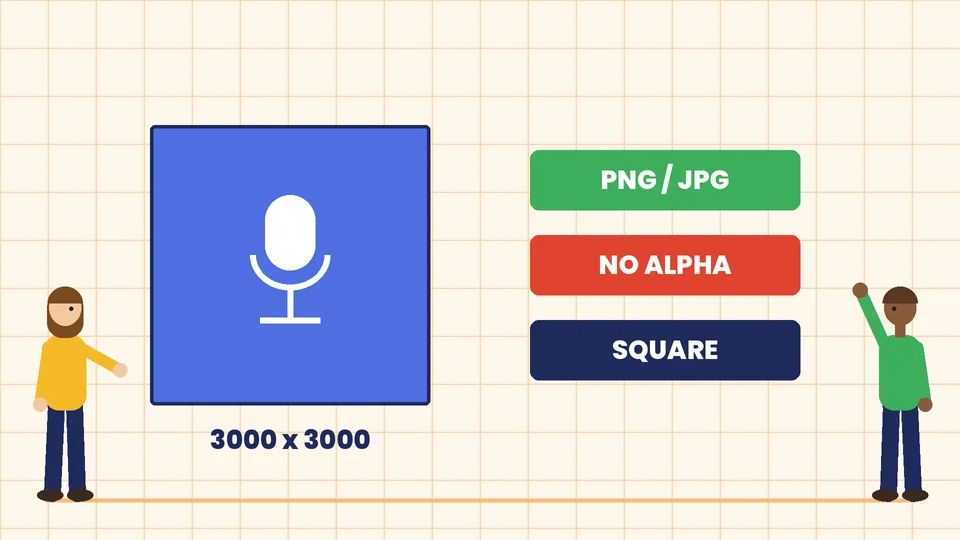
Apple calls the main image the Show Cover. Its Show Cover guidelines list these specifications as of October 2026:
| Specification | Apple Podcasts requirement |
|---|---|
| Size | 3000 x 3000 pixels |
| Size range via RSS feed | 1400 x 1400 to 3000 x 3000 pixels, with the largest preferred |
| File type | PNG or JPG |
| Transparency | none, with no alpha channel |
| Placement | everywhere the show appears |
Apple’s artwork guide says the Show Cover is the only artwork you need to publish on Apple Podcasts. Other placements, such as episode art, full page show art and chapter art, are optional.
Because the cover must be square and opaque, give it a solid background before you export. A transparent PNG that looks fine in your design program can fail or display with an unexpected background.
Design at 3000 by 3000 pixels even if you plan to submit a smaller file. It is easier to scale a large design down than to rebuild a small one later.
Design for the smallest size first
Your cover appears large on a show page, but most listeners first see it as a small tile in search results, a library grid or a lock screen. Apple’s best practices ask you to make your title clear and prominent, keep it legible at scale, and limit extra text or logos.
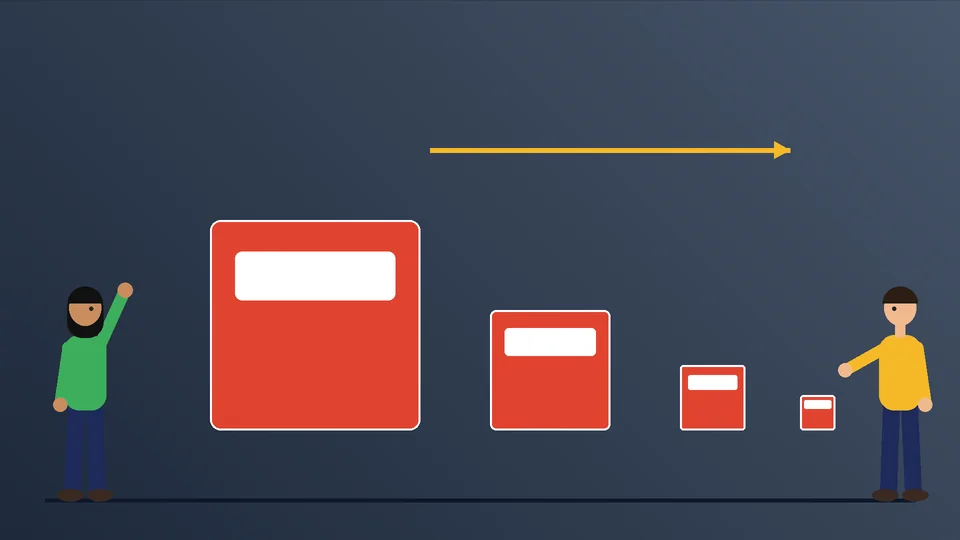
A simple way to test this is to shrink your design to about the size of an app icon on your phone and look at it from arm’s length. Ask:
- Can you read the show name?
- Can you tell roughly what the show is about?
- Does anything turn into noise, such as a tagline, a photo background or small icons?
If the answer to the first two is no, simplify. Remove the tagline, enlarge the title, or replace a busy photo with a flat color.
What to put on a podcast cover
Most effective covers contain only a few elements:
- The show name. This is the one element that must be readable everywhere.
- One visual idea. A host photo, an illustration, a symbol or a bold color field. Pick one.
- Optionally, the host name. Apple suggests the cover should help listeners quickly identify key information like the title and host. Include the host name only if it adds recognition and still reads at small sizes.
Things that usually hurt more than they help:
- Long taglines or episode schedules.
- Lists of guests or sponsors.
- Several logos.
- Small text placed near the edges.
Apple also warns that artwork may be rejected if it includes any visual representation of Apple, such as Apple logos or hardware. Leave microphones, headphones and phones generic, or leave them out.
Typography for podcast art
Type does most of the work on a podcast cover.
- Use a bold, simple typeface. Heavy sans serif and slab serif styles hold up best at small sizes. Thin, condensed and script typefaces tend to break apart.
- Keep the name short on the cover. If your show name is long, consider stacking it on two or three lines, or setting the most memorable word much larger.
- Give the title room. On many strong covers, the title takes up a third or more of the square.
- Match your brand type where you can. If your business already uses a typeface, using it on the cover helps listeners connect the show to you. Our guide to brand fonts explains how to choose a primary and supporting face.
Apple’s guidance asks you to prioritize legibility and make sure text contrasts well with the background and other design elements. That rules out light text on a pale photo or dark text over a busy image.
Color and contrast
Podcast apps place your cover next to dozens of others, so color is how listeners find you again. Choose a main color that stands out in your category, and use it consistently on the cover, episode art and social graphics.
Apple’s best practices include one detail that is easy to miss: if your background is pure black or pure white, consider a slightly different value so the cover doesn’t blend into the app’s own background. A very dark gray or an off-white keeps the edges of the square visible in both light and dark modes.
For text contrast, a useful reference point is the WCAG 2.2 contrast minimum, which asks for a ratio of at least 4.5 to 1 for normal text and 3 to 1 for large text. It was written for web text, not artwork, but it is a practical benchmark for a title that has to be read small. Our guide to a brand color palette covers how to choose colors with enough contrast.
Photos or illustration?
Both can work. The choice depends on the show.
- Host photos suit interview and personality-led shows, where listeners come for the person. Use a well-lit, high-resolution photo with a simple background, crop it tight and leave clear space for the title.
- Illustration suits topic-led shows, stories and shows with several hosts. It lets you control the shapes and colors so the cover reads at small sizes.
- Type and color only can be the strongest choice for business and educational shows, because nothing competes with the name.
Apple asks for high-resolution imagery and warns that abrupt cropping, awkward text overlap and image treatments can cause visual imbalance. If you use a photo, check that no part of the face or the title sits too close to an edge. Apple’s Show Cover template shows a safe area for important content, so download it and design inside it.
Episode art and other placements
Apple supports optional episode art for individual episodes. According to its episode art guidelines, as of October 2026 it uses the same 3000 by 3000 pixel size, PNG or JPG format and no-transparency rule, and appears in places such as Now Playing, the lock screen and episode pages.
Episode art works best as a system, not a new design every week:
- Keep the show name or a recognizable mark in the same place on every episode.
- Change one element, such as a guest photo, an episode number or a topic word.
- Build a template once so every episode is quick to make.
If you also share episodes on social media, plan matching versions for those formats. Our guide to social share image design covers the wide link preview format, which is a different shape from the square cover.
How podcast art fits your brand
If the podcast supports your business, the cover should feel like part of the same family as your logo, website and other marketing. That doesn’t mean putting your logo on the cover. A small logo usually becomes unreadable at podcast sizes. Instead, carry over your brand colors and typeface, and let the show name lead.
If your brand has a style guide, add a short section for podcast art with the template, colors, type sizes and rules for episode art. That keeps the show consistent when different people make the graphics.
Common podcast cover mistakes
- A title too small or too thin to read in a podcast app.
- A busy photo background behind the text.
- Transparency left in the exported PNG.
- A pure white or pure black background that blends into the app.
- Too many words, such as taglines, schedules or guest lists.
- Apple logos or Apple hardware in the artwork.
- A cover that looks unrelated to the rest of your brand.
- Submitting a low-resolution file and never replacing it.
Podcast cover art checklist
- Square canvas at 3000 x 3000 pixels.
- Exported as PNG or JPG with a solid background and no alpha channel.
- Show name large, bold and readable at app icon size.
- One main visual idea, with nothing important near the edges.
- Strong contrast between text and background.
- No pure black or pure white background, so the edges stay visible.
- No Apple logos or hardware.
- Brand colors and type used consistently with your other marketing.
- Episode art template built from the same system.
- Tested on a phone in light and dark mode before you upload.
Frequently asked questions
What size should podcast cover art be?
What file format should podcast artwork use?
Can I put my logo on my podcast cover?
Do I need separate art for every episode?
Should I use my photo on the cover?
How do I check if my cover works at small sizes?
Get podcast art that listeners recognize
A podcast cover has to do a lot in a small square: name the show, set the tone and stand out in a crowded grid. Build it at full size, design for the smallest view, keep the title bold and follow the platform specifications. If you want cover art and episode templates that match your brand, contact Pros Inc at 715 J St #200, San Diego, CA 92101, or call (858) 652-8920.