
Letterhead Design: What to Include, Size and Print Setup
What makes a good letterhead design
A good letterhead tells the reader who sent the letter and how to reach them, then gets out of the way of the message. It uses your logo and brand colors, keeps contact details short and easy to find, leaves plenty of room for the letter, and works both as a printed sheet and as a digital template for letters sent by email.
This guide covers what to put on a letterhead, layout options, standard sizes and print setup, and how to build a digital version your team will actually use. Pros Inc designs letterhead and other business stationery for small businesses from our office in San Diego, and this is the checklist we work from. Print specifications come from Vistaprint guides, checked as of October 2026. Always use your printer’s template for the product you order.
What to put on a letterhead
The essentials
- Your logo, in the version from your brand files that works at a small size
- Your business name, written the same way as on your website and signs
- A street or mailing address
- A main phone number
- Your website
- A general email address, ideally on your own domain
Optional details
- A tagline, if it is part of your brand
- Social profiles, only one or two you keep up to date
- Registration or license numbers, if your industry or location requires them on business correspondence. Check the rules that apply to you rather than guessing.
Leave off personal names and job titles unless every letter will come from the same person. Those belong in the signature block of each letter.
Letterhead layout options
Top header
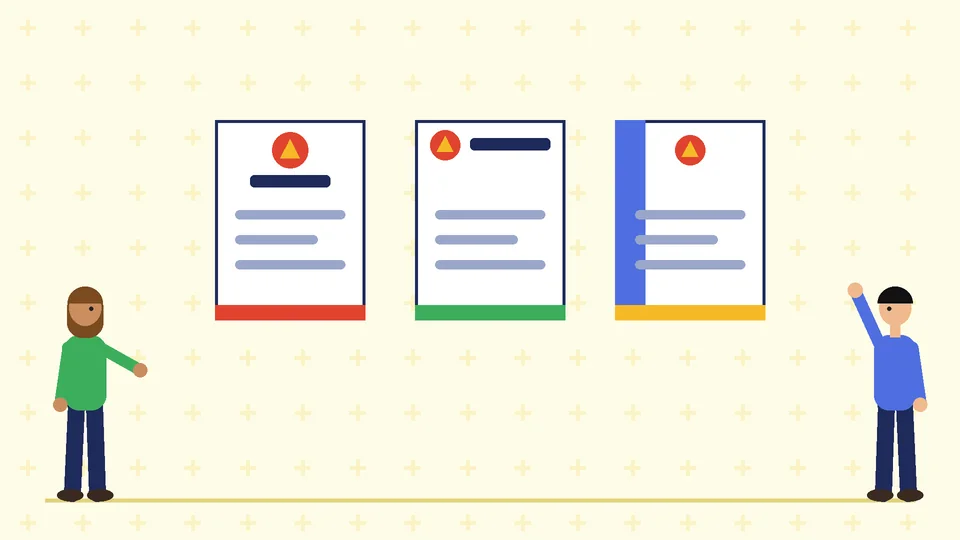
The most common layout puts the logo at the top left or top center with contact details beside it or below it. It is familiar, easy to read and leaves the most room for the letter.
Header and footer
The logo sits at the top and the contact details move to a footer. This keeps the top of the page clean and gives the details a consistent place on every page.
Side column
A narrow column down one side holds the logo, contact details or a band of brand color. It looks distinctive but narrows the writing area, so it suits short letters better than long reports.
Second pages
Long letters need a continuation sheet. Use a simpler second-page design with just the logo or business name, so the full contact block does not repeat on every page.
Design tips that keep a letterhead readable
- Keep the header small. The letter is the main content. A header that takes a quarter of the page leaves too little room.
- Limit colors. One or two brand colors are usually enough. A single color also costs less to print.
- Use readable type. Contact details are often set small, so choose a clear weight and check it on a printed proof.
- Leave a writing area with generous margins. Set the margins in the template so letters line up the same every time.
- Think about window envelopes. If you mail letters in window envelopes, keep the area where the recipient address shows clear of graphics. Check the envelope’s window position before you finalize the layout.
Standard sizes and print setup
In the US, letterhead is usually 8.5 by 11 inches (letter). Many other countries use A4, which is 210 by 297 mm. If you send letters internationally, make sure your digital template prints well on both.
Bleed and safe area
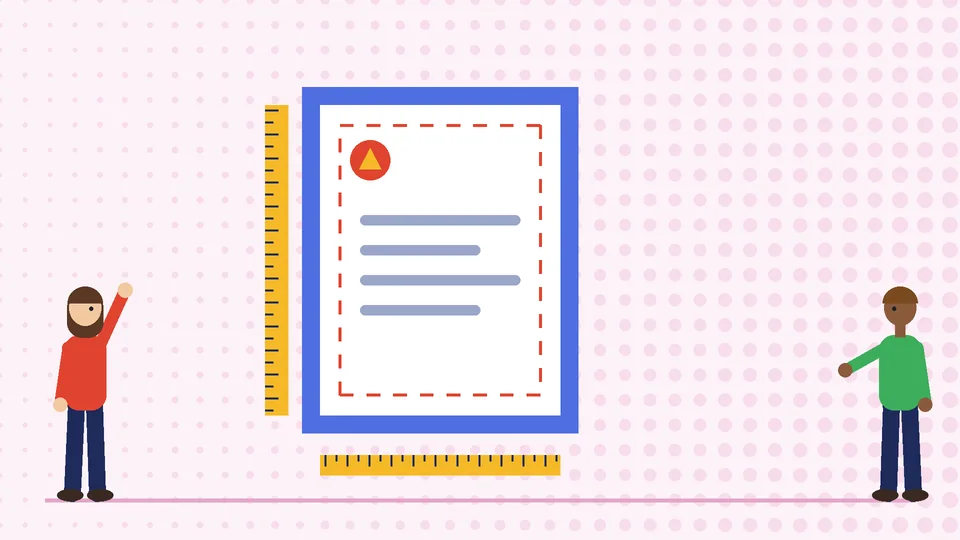
Vistaprint’s bleed guidance says a letterhead with bleed is set up at 8.75 by 11.25 inches, with 0.125 inch added on every side, then trimmed to 8.5 by 11 inches. Text and other important elements should stay at least 0.125 inch inside the trim edge, a safe area of 8.25 by 10.75 inches. A letterhead without bleed keeps every printed element at least 0.125 inch from the edge.
If your design has color running to the edge, it needs bleed. If you plan to print letterhead on an office printer, avoid edge-to-edge color, because most office printers cannot print to the edge of the sheet.
Resolution, color and file format
Vistaprint’s prepress checklist says most standard print projects need images at 300 DPI at the final printed size, CMYK color and proper bleed, and that a high-resolution PDF is usually the best final file. Use the vector version of your logo. Our guide to logo file formats explains which file to use where.
Paper
Letterhead is often printed on uncoated paper so it can be written on and run through an office printer. If you plan to print letters on preprinted sheets, ask the printer for a paper that works with laser printers. Our commercial printing guidelines cover paper choices and working with a print shop.
Build a digital letterhead template
Most letters today are sent as PDFs or attachments, so a digital template matters as much as the printed sheet.
- Build the template in the word processor your team uses, with the header and footer locked in place.
- Set margins, fonts and sizes for the body text so letters look the same no matter who writes them.
- Use a high-resolution logo so it stays sharp when exported to PDF.
- Save it as a template file and store it where everyone can find it.
- Export a test letter to PDF and print it to check spacing and colors.
Keep the digital and printed versions matched, and update both when your address or phone number changes.
Letterhead as part of your stationery set
Letterhead usually sits alongside business cards, envelopes and other stationery. Design them together so the logo placement, colors and type match. Our guide to business card design covers the card, and a brand style guide keeps every piece consistent. If you are updating everything at once, start with your corporate identity and branding.
Frequently asked questions
What size is a letterhead?
What should be on a letterhead?
Where should the logo go on a letterhead?
Should letterhead be printed or digital?
Can I print letterhead on an office printer?
What file should I send a printer for letterhead?
Get help with your letterhead
A clean letterhead makes every letter look like it came from an established business. If you need letterhead or a full stationery set designed to match your brand, contact Pros Inc at 715 J St #200, San Diego, CA 92101, or call (858) 652-8920.