
Business Signage Design: Readable Signs and ADA Requirements

What good business signage design does
Business signage helps people find you, recognize your brand and move around your space without asking for directions. A good sign is readable from where people actually see it, carries as few words as possible, uses strong contrast and matches the rest of your brand. Signs that identify permanent rooms inside a public space, such as restrooms and numbered offices, also have to follow the ADA Standards for Accessible Design, while your storefront name and logo are exempt from those specific rules.
This guide covers the main types of business signs, the design principles that make them readable, how to size lettering for viewing distance, what the ADA requires for interior signs and how to plan a sign project with permits and suppliers. Pros Inc designs signage and printed materials for small businesses from our office in San Diego, and this is the checklist we work from. Accessibility facts come from the US Access Board and the Department of Justice, checked as of October 2026, with sources at the end. This is general information, not legal advice.
Types of business signs
Exterior signs
- Storefront or fascia signs: your name and logo on the building, usually the first thing people notice
- Projecting or blade signs: mounted at a right angle to the wall so people walking along the sidewalk can see them
- Monument and pylon signs: freestanding signs near the street or parking lot, common for plazas and offices set back from the road
- Window graphics: hours, services and promotions applied to glass
- Portable signs: A-frames and sidewalk boards for daily specials and events
Interior signs
- Wayfinding signs: directional signs that guide people to departments, rooms and exits
- Room identification signs: restrooms, offices, meeting rooms and other permanent spaces
- Regulatory and safety signs: exits, accessible entrances and required notices
- Promotional and menu signs: offers, product displays and menu boards
Each type has a different job, so each needs its own design approach. A storefront sign has to be recognized at a glance from a moving car or across the street. A room sign only needs to be read from a few feet away, but it must be accessible.
Design principles that make signs readable

Keep the message short
People read signs in seconds, often while walking or driving. Put the most important word first and remove everything else. A storefront sign rarely needs more than your name, your logo and one short descriptor of what you do.
Choose readable lettering
Simple, clear letterforms with open shapes read best at a distance. Use your brand typeface if it is legible; otherwise pick a clear companion face for signage. Avoid thin strokes, condensed type, script fonts for important words and long lines of capital letters.
Use strong contrast
Light letters on a dark background or dark letters on a light background are easiest to read. Test colors outdoors in daylight and at night, because lighting changes how colors look. Your brand colors should stay recognizable, but readability comes first; our guide to building a brand style guide explains how to document approved color combinations for different uses.
Give the design space
Leave clear space around the logo and text. A crowded sign is harder to read and looks cheaper than one with room to breathe.
Plan for lighting
Decide early whether the sign will be lit from inside, lit from outside, backlit or not lit at all. Lighting affects materials, colors and cost, and many local sign codes regulate illuminated signs.
Sizing letters for viewing distance
The right letter height depends on how far away people will be when they need to read the sign, the speed they are moving and the lighting. Measure the realistic viewing distance on site, for example from the far side of the street or the entrance to the parking lot, and make a full-size paper mockup before you order.
For signs covered by the ADA, the Standards give a specific formula for visual characters. According to the US Access Board’s guide to ADA signs, when characters are mounted between 40 and 70 inches above the floor, the minimum character height is 5/8 inch for a viewing distance under 6 feet, plus 1/8 inch for each foot of viewing distance beyond 6 feet. Higher mounting heights require larger minimum heights. Even when your sign isn’t covered, this formula is a useful reference point for interior signs read up close.
ADA rules for interior signs
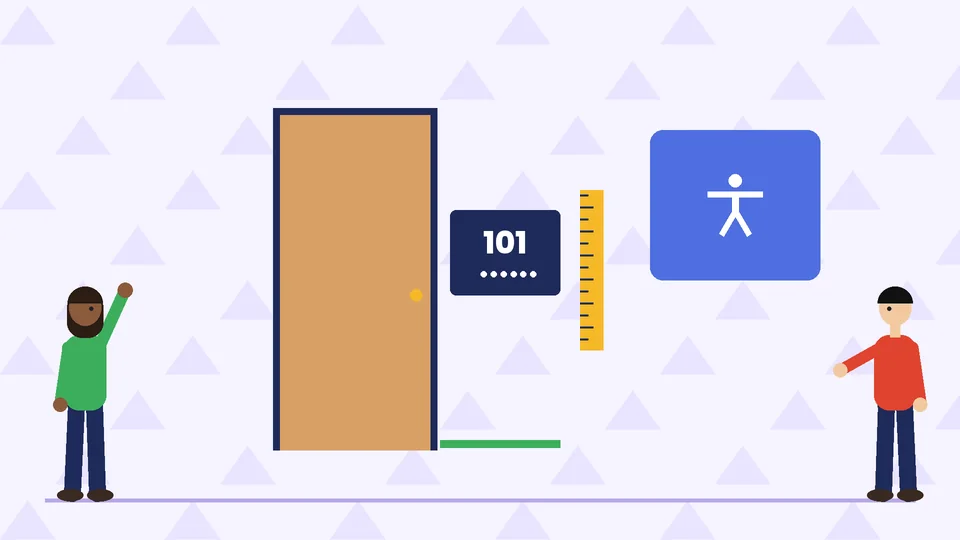
The 2010 ADA Standards for Accessible Design set requirements for many signs in public accommodations and commercial facilities. The Access Board’s guide summarizes them.
Signs that are exempt
The Access Board lists these types of signs as exempt from the visual and tactile requirements:
- Temporary signs posted for 7 days or less
- Building addresses and directories
- Occupant names, company names and logos
- Menus
- Seat and row designations in assembly areas
That means your storefront name and logo don’t have to meet the ADA character rules, though they still have to meet local sign codes.
Tactile signs for permanent rooms
Signs that identify permanent rooms and spaces, such as restrooms, offices and meeting rooms, must be tactile where provided. According to the Access Board guide:
- Raised characters: at least 1/32 inch raised, uppercase, sans serif, and 5/8 inch to 2 inches tall, based on the uppercase letter I
- Braille: Grade 2 braille placed below the raised characters
- Finish and contrast: a non-glare finish, with light-on-dark or dark-on-light contrast between characters and background
- Mounting height: 48 inches minimum to the braille baseline and 60 inches maximum to the text baseline
- Location: on the latch side of a single door, with a clear floor space of at least 18 by 18 inches centered on the characters and outside the swing of the door
Visual characters on other signs
Directional and informational signs, such as “Restrooms” with an arrow, must meet the visual character rules: characters at least 40 inches above the floor, height based on viewing distance, line spacing of 135 to 170 percent of the character height, a non-glare finish and strong light-on-dark or dark-on-light contrast. The guide also prohibits italic, oblique, script and highly decorative character styles on regulated signs.
Protruding and post-mounted signs
Signs on posts or pylons with leading edges between 27 and 80 inches high can’t protrude more than 12 inches into circulation paths, according to the Access Board guide. Keep this in mind when placing freestanding and projecting signs along walkways and hallways.
Signs, branding and your online presence
Your signs should look like they come from the same business as your website, packaging and printed materials. Use the same logo files, colors and type, and keep your name written the same way everywhere. Our page on corporate identity and branding explains how these pieces fit together.
Signs and online listings work together. The business name on your storefront should match your Google Business Profile and other listings, and many customers will check your reviews before they visit. Our guide to online reviews for small businesses covers how to earn and respond to them.
Planning a sign project
- Survey the site. Photograph the building, measure the sign areas, note sightlines, lighting and power, and record any landlord or property association rules.
- Check the rules. Most cities regulate the size, height, lighting and placement of exterior signs, and many require a permit. Contact your city’s planning or building department before you order. Leases often have their own sign criteria.
- Design and mock up. Prepare scaled drawings showing the sign on photos of the building, and test a full-size printout on site for readability.
- Prepare production files. Supply vector artwork with exact colors and dimensions. Our commercial printing guidelines explain how to set up print-ready files.
- Choose materials. Match materials to the location, weather exposure and how long the sign needs to last.
- Install and inspect. Use a licensed installer where your city requires one, and check the finished sign in daylight and at night.
Frequently asked questions
What makes a business sign easy to read?
Do business signs have to follow the ADA?
How high should an ADA restroom sign be mounted?
How big should the letters on my sign be?
Do I need a permit for a business sign?
Should my sign match my logo and website?
Get help with your business signs
Clear, consistent signs help customers find you and remember you. If you are planning new storefront signage, interior wayfinding or ADA room signs, contact Pros Inc at 715 J St #200, San Diego, CA 92101, or call (858) 652-8920.