
Online Reviews for Small Businesses: How to Get More, the Right Way
Why online reviews matter for a small business
Online reviews are often the first thing a potential customer reads about a small business, and they shape whether that person calls, visits or buys. The most reliable way to get more of them is simple: ask every customer, make leaving a review easy, reply to the reviews you receive, and never fake, buy or filter them.
That last point matters more than it used to. In the US, the Federal Trade Commission’s rule on consumer reviews and testimonials took effect on October 21, 2024, and review platforms such as Google enforce their own policies. This guide explains how to ask for reviews, how to reply, what to avoid, and how to use reviews in your marketing, based on FTC guidance and Google Business Profile help pages checked as of October 2026. Pros Inc helps small businesses in San Diego and across the US with local marketing and websites, and the approach below is the one we recommend to clients. It is practical guidance, not legal advice.
Where your reviews appear
Most small businesses collect reviews in a few places:
- Google Business Profile. Reviews appear next to your profile in Google Search and Maps.
- Industry and local platforms. Depending on your field, these might include sites for restaurants, home services, healthcare or professional services.
- Your own website or online store. Product or service reviews shown on your pages.
- Social media. Recommendations and comments on your business pages.
Each platform has its own rules. Some, for example, discourage businesses from asking for reviews at all. Read the policies for the platforms that matter most in your industry before you start a review campaign.
How to ask for reviews the right way
The FTC’s guide for marketers on soliciting and paying for online reviews and its Q&A on the reviews rule point in the same direction: ask honestly, ask broadly, and do not steer the outcome. In practice:
- Ask every customer, not only the happy ones. Send the same request to all recent customers. Sending requests only to people you expect to be satisfied, sometimes called review gating, could violate the FTC Act, according to FTC staff guidance.
- Time the request well. Ask shortly after the service is finished or the product has arrived and been used, while the experience is fresh.
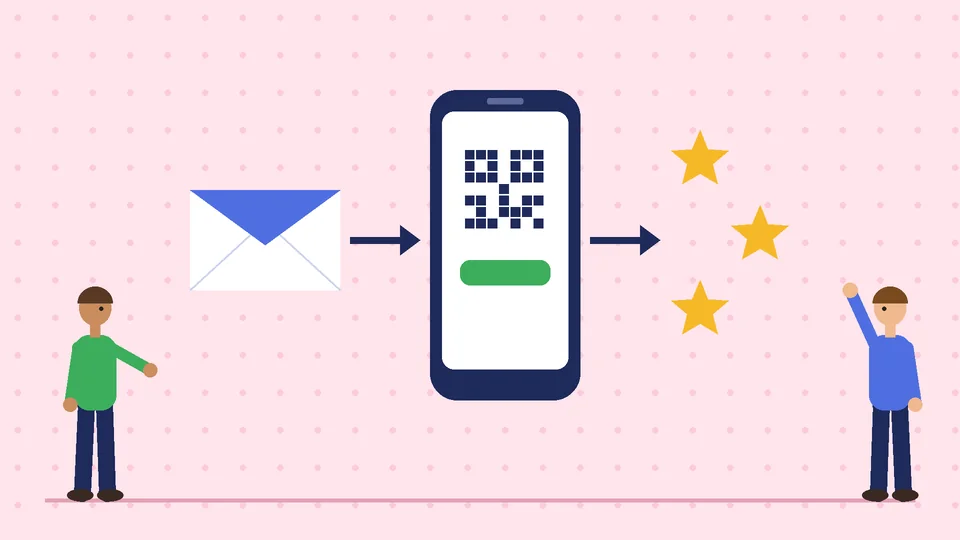
- Make it easy. Google Business Profile lets you create a link or QR code that takes customers straight to your review form. Put it on receipts, emails, invoices and a counter card.
- Keep the wording neutral. “We’d value your honest feedback” is fine. “Tell us how much you loved your visit” implies you want only positive reviews.
- Do not pressure people. Let customers review in their own time, rather than asking them to write one on the spot on a staff member’s device.
A simple follow-up email might read: “Thanks for choosing us. If you have a minute, we’d appreciate an honest review of your experience. Here’s the link.” That is all most customers need.
Incentives: be very careful
Rules on incentives differ between the law and the platforms, so it helps to keep them separate.
Under the FTC’s rule, as explained in its staff Q&A, a business may not offer compensation or incentives that are conditioned, expressly or by implication, on a review expressing a particular sentiment, such as five stars. The FTC also notes that failing to disclose incentives can violate the FTC Act.
Google’s policy is stricter. As of October 2026, Google Business Profile help states that offering incentives, like free or discounted goods or services, in exchange for customers posting reviews, changing reviews or removing negative reviews is prohibited. Breaking that rule can lead Google to remove reviews or restrict your profile.
For most small businesses, the safest approach is not to offer incentives for reviews at all. Ask, make it easy, and let the quality of your work do the rest.
Reviews from employees, friends and family
The FTC rule allows insiders such as employees or relatives to post reviews only if they clearly disclose the relationship, and the FTC warns that insider reviews that inflate a star rating can still mislead people even with a disclosure. Many platforms restrict reviews from people connected to the business. In practice, it is simplest not to ask staff, family or friends for reviews. If an employee happens to be a genuine customer who receives your standard request, FTC staff guidance says generalized requests sent to all purchasers are treated differently.
What never to do
These practices can break the FTC rule, the FTC Act or platform policies:
- Write or buy fake reviews, including reviews generated by AI that describe experiences that did not happen.
- Pay for five-star reviews, even if reviewers disclose the payment.
- Suppress negative reviews with threats, intimidation, groundless legal threats or false accusations against the reviewer.
- Hide or delete genuine negative reviews on your own website while publishing positive ones.
- Buy fake followers or likes to look more popular.
- Run a “review site” you secretly control and present it as independent.
If a reviewer posts something false or abusive, use the platform’s reporting tools rather than confronting the person.
How to reply to reviews
Replies are public, so they speak to future customers as much as to the reviewer. Google’s guidance for business owners recommends keeping replies professional, short and specific, and responding in a timely way.
- Positive reviews: thank the person by name and mention a detail from their review. Avoid turning replies into ads.
- Mixed reviews: thank them, acknowledge the issue and explain briefly what you are doing about it.
- Negative reviews: stay calm, apologize where appropriate, explain what you can and cannot do, and invite the person to contact you directly to resolve it. Never share private details about the customer.

The FTC’s Q&A confirms that a business can contact customers who post negative reviews to resolve the problem, and can ask satisfied customers to update a review. Fixing the underlying issue is the best reply of all.
Using reviews in your marketing
Reviews make strong marketing material, with a few cautions. When you feature a customer review in an ad, on a landing page or in a brochure, the FTC treats it as a testimonial, so it must be genuine and should not give a misleading picture of typical customer experiences. Ask permission before using a customer’s name or photo, quote accurately, and keep the original review available.
On your own website, show reviews in full, including negative ones, and let customers sort them. Organizing reviews by helpfulness or rating is fine, according to FTC staff, but making negative reviews hard to find can be deceptive.
Reviews also support local search. They appear alongside your Google Business Profile, and they are part of the wider local marketing work we describe on our San Diego internet marketing page and in our guide to online marketing services for small businesses.
Building a simple review routine
A routine beats a one-off push. Here is a weekly rhythm that works for most small businesses:
- Daily or per job: send the standard review request to every customer whose order or service was completed.
- Twice a week: read and reply to new reviews on your main platforms.
- Monthly: look for patterns. Repeated praise tells you what to promote; repeated complaints tell you what to fix.
- Quarterly: check that your review links, QR codes and email templates still work, and review the policies of the platforms you rely on.
Reviews connect to the rest of your customer journey. Our article on sales funnel stages explains where they help most, and our guide to choosing an internet marketing firm covers what to ask if you plan to outsource review management. Be wary of any provider that promises a set number of five-star reviews.
Frequently asked questions
Is it legal to ask customers for reviews?
Can I offer a discount for leaving a review?
Can my employees or family review my business?
Should I reply to every review?
What should I do about a fake or abusive review?
Work with Pros Inc
Pros Inc helps small businesses set up review requests, Google Business Profile management and the wider local marketing that turns good service into new customers. To talk about your review routine, contact us at 715 J St #200, San Diego, CA 92101, or call +1-858-652-8920.