
Ecommerce Packaging Design: Boxes, Costs and Unboxing for Online Stores
What ecommerce packaging design is
Ecommerce packaging design is the planning of the boxes, mailers, inserts and protective materials that carry an online order to the customer’s door. Unlike retail packaging, it has to survive a parcel network, keep shipping costs down and still make a good first impression when the customer opens it at home.
Retail packaging competes on a shelf. Ecommerce packaging competes on a doorstep and, increasingly, in unboxing photos and videos. This guide covers how to choose the right format, why box size has a direct effect on what you pay to ship, how to design the outside and inside of the package, and how to make environmental claims you can support. Carrier rules come from UPS and sustainability rules from the FTC’s Green Guides, checked as of October 2026. Pros Inc designs packaging, labels and brand systems for US businesses from our office in San Diego, and this is the checklist we work through with clients who sell online.
Ecommerce packaging vs retail packaging
The two share a brand, but they solve different problems.
| Retail packaging | Ecommerce packaging | |
|---|---|---|
| Main job | Attract a shopper on a shelf and explain the product | Protect the product in transit and deliver a good arrival experience |
| Who handles it | Store staff and shoppers | Sorting machines, drivers and the customer |
| Biggest cost driver | Printing and materials | Shipping charges, which depend on size and weight |
| Design focus | Front panel, claims, barcode, shelf impact | Box size, protection, opening experience, inserts |
| Information needed | Regulatory and shelf information | Return instructions, care information, reorder prompts |
Many products need both: a retail carton inside a shipping box. If you are starting with the retail side, our introduction to packaging design that sells covers shelf strategy, and our overview of the packaging design process explains how a package moves from brief to production.
Choose the right packaging format
Start with the product, not the artwork. Common formats for online orders include:
- Poly mailers. Light and inexpensive for soft goods such as apparel. They offer little crush protection.
- Padded mailers. A cushioned envelope for small, flat items that need light protection.
- Corrugated mailer boxes. Self-locking boxes that open like a lid. They are a popular choice for branded unboxing because they print well inside and out.
- Regular shipping cartons. Plain corrugated boxes that suit heavier or bulkier items and multi-item orders.
- Rigid boxes. Heavy paperboard boxes used for premium gifts. They often ship inside an outer carton to protect them.
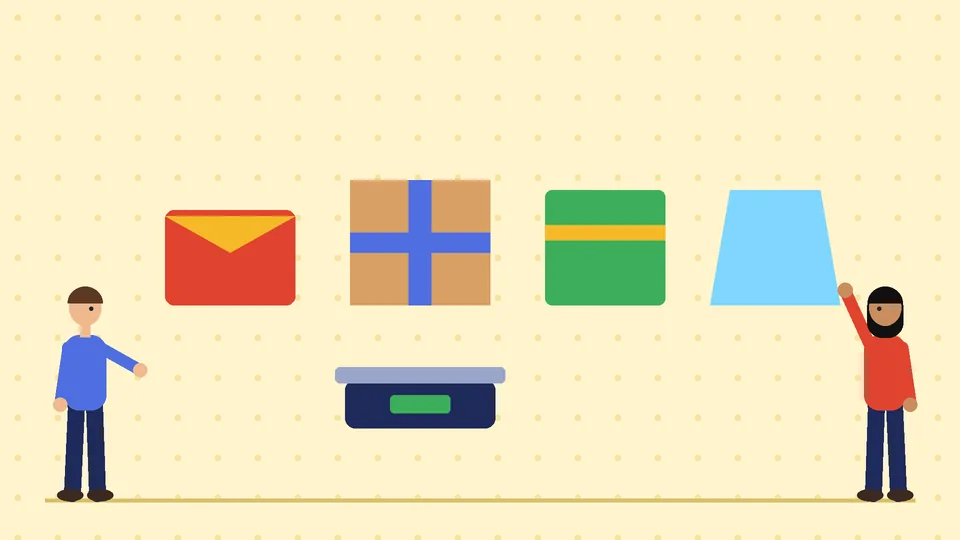
For each product, write down its weight, dimensions, fragility and how often it is ordered with other items. That short list usually narrows the choice to one or two formats.
Box size and dimensional weight
Box size is one of the biggest packaging decisions an online store makes, because carriers can charge for the space a package takes up, not just its weight. As of October 2026, UPS calculates dimensional weight by multiplying length, width and height in inches and dividing by 139 for daily rates or 166 for retail rates, then bills the higher of actual or dimensional weight.
That rule comes from the UPS guide to package dimensions and weight, which also explains that you round each measurement up to the next whole inch and that dimensional weight may apply to all UPS domestic and international package services. Other carriers use their own versions of the same idea, so check the rules for every carrier you use.
A quick example using the UPS daily-rate divisor: a 12 by 10 by 8 inch box is 960 cubic inches. Divided by 139, that is about 6.9, which rounds up to a dimensional weight of 7 pounds. If the product inside weighs 2 pounds, you may be billed for 7. Cutting the box to 10 by 8 by 6 inches drops it to 480 cubic inches and a dimensional weight of 4 pounds.
The same UPS guide lists size limits worth knowing if you sell large items: packages can weigh up to 150 pounds, be up to 108 inches long and measure up to 165 inches in length and girth combined.
Practical steps:
- Measure your real products and design boxes around them, with only the space protection needs.
- Standardize a few sizes that cover most orders instead of stocking dozens.
- Save your box sizes in your store’s shipping settings. Shopify’s guide to setting up packages explains that your store default package is used to calculate weight-based and carrier-calculated rates at checkout, and that you should enter the outside dimensions of each box, because those are what carriers charge on.
Protect the product
Damaged orders cost you a replacement, a second shipment and often a customer. Protection planning covers three things:
- Fit. The product should not move inside the box. Inserts, dividers or molded pulp trays hold it in place.
- Cushioning. Paper, corrugated inserts or other fillers absorb shocks. Use enough to stop movement, not so much that you need a bigger box.
- Strength. Choose board strength for the weight and fragility of the product, and ask your supplier which grade they recommend.
Test before you order thousands. Pack a few orders, ship them to staff or friends in different regions, and look at what arrives. Drop tests at your own desk are not a substitute for a real trip through a carrier network.
Design the outside
The outside of a shipping box spends most of its life on conveyors and trucks, so design it for that:
- Keep shipping labels readable. Leave a clear, flat panel for the label, and avoid dark backgrounds or glossy finishes where it goes.
- Decide how much branding to show. A printed logo builds recognition, but some customers prefer plain outer boxes, especially for gifts or valuable items.
- Print simply. One or two colors on kraft board are often enough outside. Save full-color printing for the inside if budget is tight.
- Match your brand system. Use the colors, logo rules and fonts from your brand style guide so the package looks like the website the customer just bought from.
If you are briefing a printer, our commercial printing guidelines explain color modes, bleed and print-ready files, and our list of package design terms covers words such as dieline and flute.
Design the unboxing experience
The inside of the box is where an online brand gets the in-person moment a shop would provide. Keep it simple and useful:
- A clean first view. When the lid opens, the customer should see the product or a neat wrap, not loose filler.
- Printed inside messages. A short welcome line printed inside the lid costs less than many inserts.
- One useful insert. Care instructions, a setup guide or a reorder prompt is more valuable than several promotional cards.
- Easy returns. Explain how to start a return, and make the box easy to reseal if you want customers to reuse it for returns.
- Gift options. If you offer gift orders, leave out the packing slip prices and include a gift note.

Avoid adding so many layers that the package becomes heavier, larger or wasteful. Customers notice excess packaging as quickly as they notice a nice box.
Make environmental claims you can support
Many brands want to say their packaging is recyclable, compostable or made from recycled material. Those claims are covered by the FTC’s Green Guides. As of October 2026, the Green Guides section on recyclable claims, 16 CFR 260.12, says a package should not be marketed as recyclable unless it can be collected and recovered through an established recycling program.
The same section says unqualified recyclable claims are appropriate only when recycling facilities are available to a substantial majority of consumers or communities where the item is sold, which it defines as at least 60 percent. Below that, claims should be qualified. It also warns that if any component significantly limits recyclability, a recyclable claim would be deceptive.
What that means for design:
- Choose materials first, then claims. Single-material packaging, such as an all-paper mailer, is easier to describe accurately than mixed layers.
- Be specific. Say which part is recyclable, for example the box but not a plastic window.
- Keep records. Supplier specifications and certifications support the claims you print.
- Get advice when unsure. Environmental marketing rules can be technical, so ask a qualified professional to review claims before printing.
Plan costs before you order
Packaging costs more than the price per box. Budget for:
- Design and dielines, including structural changes for custom sizes.
- Samples and prototypes before a full run.
- Minimum order quantities, which suppliers set by format and print method.
- Storage space for flat-packed stock.
- Packing time. A box with many inserts takes longer to pack on every order.
- Shipping charges, which depend on the box size you choose.
Request quotes at two or three quantities. Larger runs usually lower the unit price but tie up cash and storage, so pick the quantity you can use before your design or product changes.
Common ecommerce packaging mistakes
- Boxes that are too big, which raises dimensional weight and needs more filler.
- Retail packaging shipped on its own without protection, leading to crushed cartons.
- Labels on curved or busy surfaces that scanners struggle to read.
- Environmental claims without support, or claims on the wrong part of the package.
- Unboxing that hides the product under layers of tissue, cards and filler.
- No test shipments before a large order.
Frequently asked questions
What is the difference between ecommerce packaging and retail packaging?
How does box size affect shipping costs?
What is the best packaging for a small online store?
Can I call my packaging recyclable?
Do I need custom printed boxes?
Work with Pros Inc
Pros Inc designs ecommerce packaging, labels and inserts that fit your products, your shipping costs and your brand. To talk about your packaging, contact us at 715 J St #200, San Diego, CA 92101, or call (858) 652-8920.